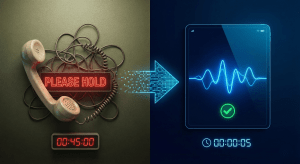
Never Lose an After-Hours Lead: Automated Voicemail Transcription & Instant Callback
Your office closes at six, but your customers don’t stop looking for help. A homeowner with a leaking pipe, a patient trying to book an appointment, a business owner comparing vendors on a Sunday night: they all pick up the phone when it suits them. If what they hear is a generic voicemail box that nobody checks until Monday, many of them will simply call the next company on the list.
Automated voicemail transcription and instant callback workflows close that gap. Instead of messages sitting unheard overnight, every after-hours call becomes a readable, searchable lead that reaches the right person quickly.
The best part is that none of this requires extra staff. The phone system does the listening, writing, and routing, and your team simply picks up where the caller left off.
Why After-Hours Voicemails Turn Into Lost Business
Traditional voicemail creates several problems for growing businesses:
- Messages wait too long. A voicemail left at 8 p.m. Friday may not be heard until 9 a.m. Monday, long after the caller has hired someone else.
- Listening takes time. Staff have to play each message, often more than once, to catch a name or number.
- Nothing is prioritized. An urgent request from a high-value customer sits in the same queue as a wrong number.
- Messages get lost. When voicemail lives on one desk phone or one person’s mailbox, nobody else knows it’s there.
Callers who reach a voicemail often hang up without leaving a message at all. The ones who do leave one are telling you they’re interested, so those leads deserve a fast response.
How Automated Voicemail Transcription Works
With a cloud phone system, voicemail no longer lives on a single handset. When a caller leaves a message:
- The audio is recorded and converted to text using speech recognition.
- The transcript, the audio file, and the caller’s number are delivered by email, text, or in the mobile and desktop apps.
- Team members can read the message in seconds, even in a meeting or on the move, and play the audio only when they need to.
Because transcripts are text, they’re searchable. You can find every message that mentions “quote,” “emergency,” or a customer’s name without listening to hours of recordings.
Transcripts also make handoffs easier. If the person who received a message is out, a teammate can read it, see the caller’s number, and follow up without hunting for an audio file or asking someone to forward it.
Instant Callback: Turning a Message Into a Conversation
Transcription gets the message in front of your team. Instant callback workflows make sure someone acts on it. Common setups include:
- On-call routing. After-hours messages go straight to the on-call technician, manager, or answering team, with one-tap callback from the app.
- Automatic text acknowledgment. The caller receives a quick SMS confirming their message was received and when to expect a call back, which keeps them from calling a competitor.
- Morning callback queues. Non-urgent messages are lined up for the team to work through first thing, with transcripts already in hand.
- Business caller ID. Callbacks made from a mobile app show your business number, so customers recognize and answer the call.
Prioritizing the Leads That Matter Most
Not every after-hours call needs a 10-minute response. Pairing transcription with smart routing helps your team focus:
- Route calls by the number dialed, such as a sales line versus a support line, so leads go to sales and service issues go to support.
- Use an auto attendant or AI assistant to ask a simple question first, such as whether the issue is urgent, and send urgent messages to the on-call person.
- Flag repeat callers or existing account holders so they get faster attention.
- Send copies of key messages to a shared inbox so nothing depends on one person’s phone.
Over time, the transcripts themselves become useful data. Reviewing a month of after-hours messages often shows patterns, such as a surge of emergency calls on weekends or repeated questions about pricing, that help you decide whether to extend hours, add on-call coverage, or let an AI assistant answer common questions directly.
Real-World Examples
After-hours lead capture works across industries:
- Home services: A plumber’s on-call tech reads “water coming through the ceiling” on their phone and calls back within minutes, winning a job a competitor never heard about.
- Real estate: An agent at a Sunday open house sees a transcribed message from a buyer asking about a listing and replies by text between showings.
- Healthcare practices: Appointment requests left overnight are waiting in a callback queue when the front desk opens, with names and reasons already written out. Practices should use a HIPAA-compliant setup for any patient information.
- Professional services: A law or accounting firm captures new client inquiries over the weekend and schedules consultations first thing Monday.
In each case the business isn’t working longer hours. It’s simply making sure that the interest a caller showed after closing time isn’t wasted.
Getting Started With MaxLink
MaxLink’s cloud communication platform brings voicemail transcription, mobile apps, SMS, call routing, and AI-powered answering together in one system, so after-hours calls are handled the same way as daytime ones. You can set business hours, choose who receives after-hours messages, and decide how quickly callers hear back.
Every missed call is a potential customer. With transcription and instant callback in place, your business can respond while the lead is still warm, even when the office is closed. Talk to MaxLink about setting up an after-hours workflow that fits your team.