
Talk to an Expert: +1 877-840-0056
Customized Online Fax Solutions to Fit any Business’s Needs
CROSS-PLATFORM ONLINE FAX SERVICE
You may send and receive faxes using Max Link fax on a variety of devices and platforms, including desktop, Android, iOS, email, Google products, multi-function printers, and even your own applications thanks to Zapier integration or the programable fax API.
Faxing is cheaper, faster, easier thanks to Max Link solutions – the latest in digital faxing technology
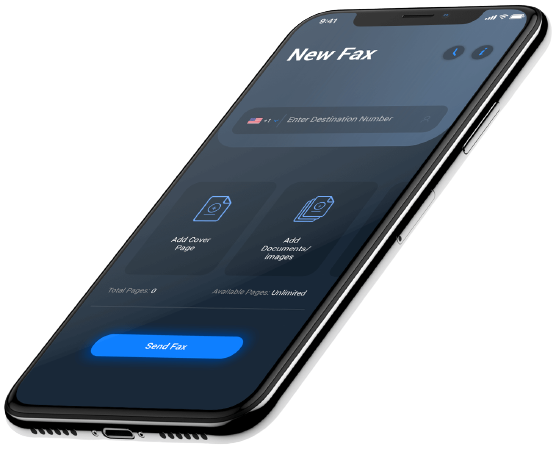
With Max Link, you may send and receive faxes online without the need for a real fax machine. No more missed calls or busy signals with Max Link, which allows you to fax from your computer, smartphone, or tablet. You may also access your faxes from anywhere with our free mobile fax app.
Max Link provides the capabilities and benefits you need to stay connected and productive no matter how you fax.
Local fax numbers provide clients with a direct channel to your company and aid in the establishment of a local reputation. Having a local number demonstrates your commitment to the community and makes clients feel more connected to your company. Additionally, having a local fax number might help clients discover you in the phone book or online. With Max Link, you may have a local fax number in any area code, making it easier and more flexible for you and your clients to stay connected.
In today’s current digital world, electronic signatures are an essential aspect of doing business. They enable businesses to swiftly and conveniently sign papers and contracts without having to bother about printing, scanning, or faxing them. Furthermore, electronic signatures are more convenient than traditional handwritten signatures and may be used for a wide range of applications, including invoicing, purchase orders, and legal contracts.
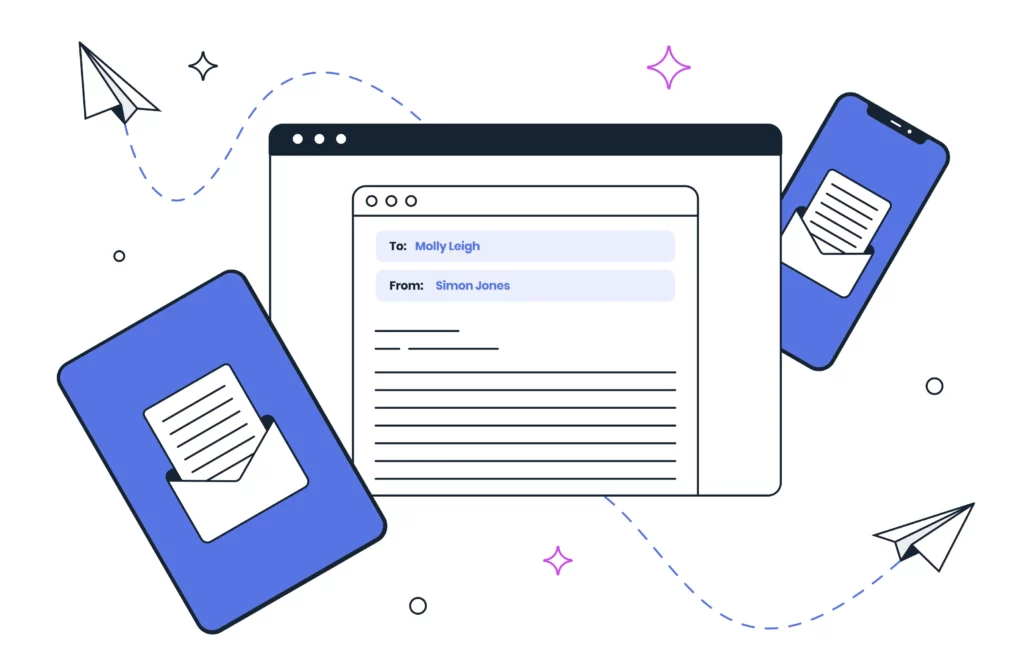
You may quickly add an electronic signature to any document before emailing it using Max Link. This manner, you may sign papers online rather of printing them. You may also store your signature so that it will be available for future documents.
Even while sending papers through fax is still a common corporate practice, maintaining a physical fax machine is a nuisance. Fax machines are tough to maintain and need a dedicated phone connection, especially if you have many offices. Fax machines also have the drawback that you can’t send or receive faxes while away from the machine and can’t access your papers from anyplace.
To send and receive faxes without worrying about a physical machine, use the desktop application Max Link Messenger. You may easily modify and transmit faxes from your PC using Max Link Messenger. You may simply read, edit, crop, highlight, sign, and transmit your faxes using this program without ever printing or scanning them.
Max Link links to several well-known cloud storage services in addition to a lot of other fantastic features. Consequently, while using the Max Link mobile app, you may quickly get objects from your preferred cloud apps and attach them to your fax message before sending it.
You can fax any kind of file from anywhere, even from your smartphone or tablet while you’re on the go, thanks to your Max Link service’s ability to fax from cloud storage. No issue if you frequently need to fax some documents to clients, business partners, suppliers, or workers. You can store these files in external cloud applications and then fax them quickly right from the Max Link Mobile App thanks to cloud storage send functionality.
Each of us has experienced this situation before. The file you’re trying to send is too huge for your email, despite the time you spent creating a sizable presentation or high-resolution photographs. This can be annoying, especially if you’re under pressure to get the file to the receiver right away.
Files that are too large to send by email can be shared with ease using Max Link. Max Link allows you to transfer files up to 3GB in size, unlike other email clients that only support attachments up to 25MB. This implies that you don’t need to worry about file compression or use a different file-sharing service in order to share presentations, pictures, videos, and other types of files.
You can send a download link to up to 20 different email addresses at once with Max Link, and the link won’t expire for three months. Additionally, you’ll be informed when the file has downloaded.
Multiple email addresses are frequently used by corporations to maintain track of various departments or projects. While this can help you stay organized, it can also be challenging to remember which email address to use when making a fax.
With Max Link, sending a fax with up to five email addresses is simple. If you need to send a fax from several departments or if you’re working on a team project and need everyone to receive a copy, this tool is incredibly helpful.
Max link is the internet faxing success story thanks to all of these capabilities and advantages. There’s no need to wait; with Max Link, you can get started right away and start working right now. Online faxing is a straightforward process. Making business faxing simpler than ever is possible with Max Link Solutions because to all the wonderful features that are available with the service.

Book a demo with one of our experts to explore all the features available in Maxlink Solutions.

We’re confident you’ll like Max-link Solutions – but don’t just take our word for it. Trial it for free for 14 days.

Are you ready to join the Max Link revolution? Hit us up for more queries.